Hand scheduling to AI Crew, and people check outside invitations
Calendar manages personal and team events and meeting room and resource bookings in one place. AI Crew finds free time and creates and changes events. Events with external attendees go ahead only after a person approves. Today's events also appear in the Today brief.
Designed for: Team leads and operations staff who trade many messages to line up meeting rooms and schedules across teams and partner companies
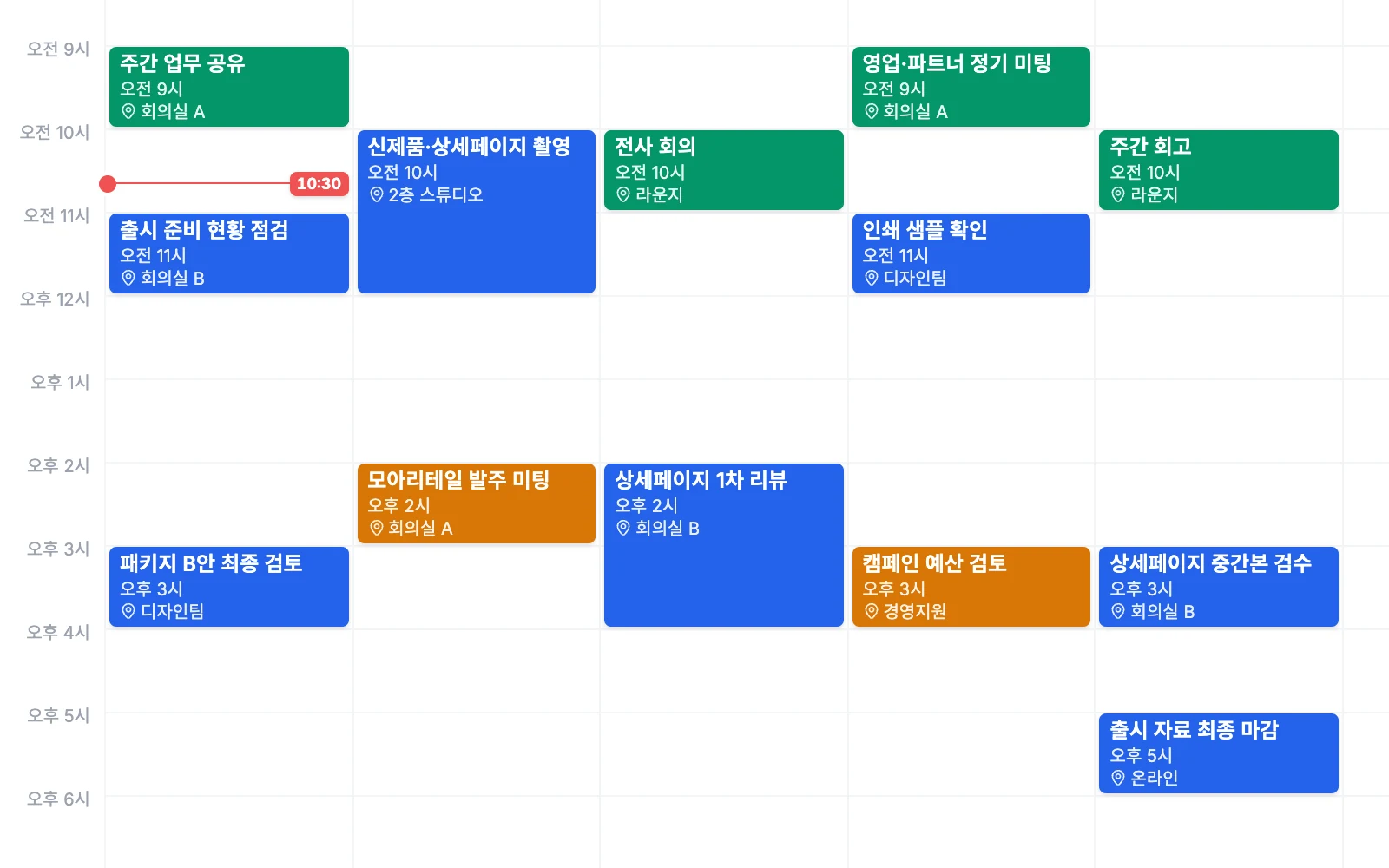
When you need it
Even to book one product photo shoot, you have to ask the design team, the marketing team and an outside photographer for their times separately. Meanwhile, you may find out too late that the meeting room is already taken.
You try to move this week's weekly launch review meeting, and the whole recurring event changes. Telling everyone about the change is also left to people.
With events that invite outside partners, any mistake is visible outside the company. Even when AI handles it, you want a person to check invitations that go outside.
How it differs from general work tools
Tell the AI Crew command window what you need, and AI Crew finds free time and creates the event. You can also hand off changes, cancellations, invitations and responses.
AI Crew handles internal events right away. When there are external attendees, an approval card appears, and the event goes ahead after a person approves.
Today's events appear in the Today brief along with email, approvals and tasks.
Key features
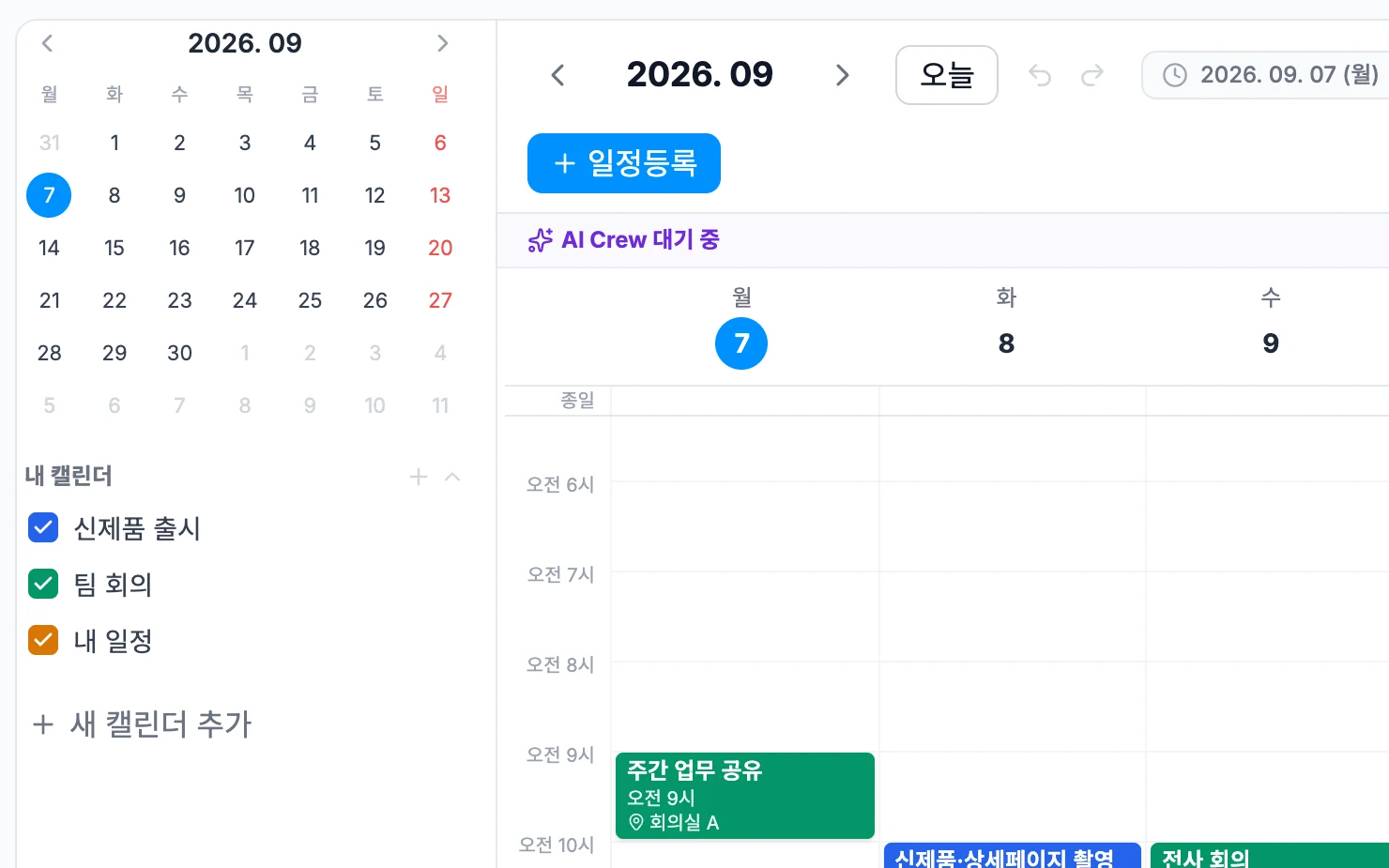
Events, bookings and AI Crew scheduling all work on the same screen.
Events and recurring events
Create personal and team events and set recurring events. You can change or cancel a single occurrence of a recurring event without touching the rest. Attach files to each event by dragging and dropping.
- Recurring events
- Change or cancel one occurrence
- Attach files by drag and drop
Meeting room and resource booking
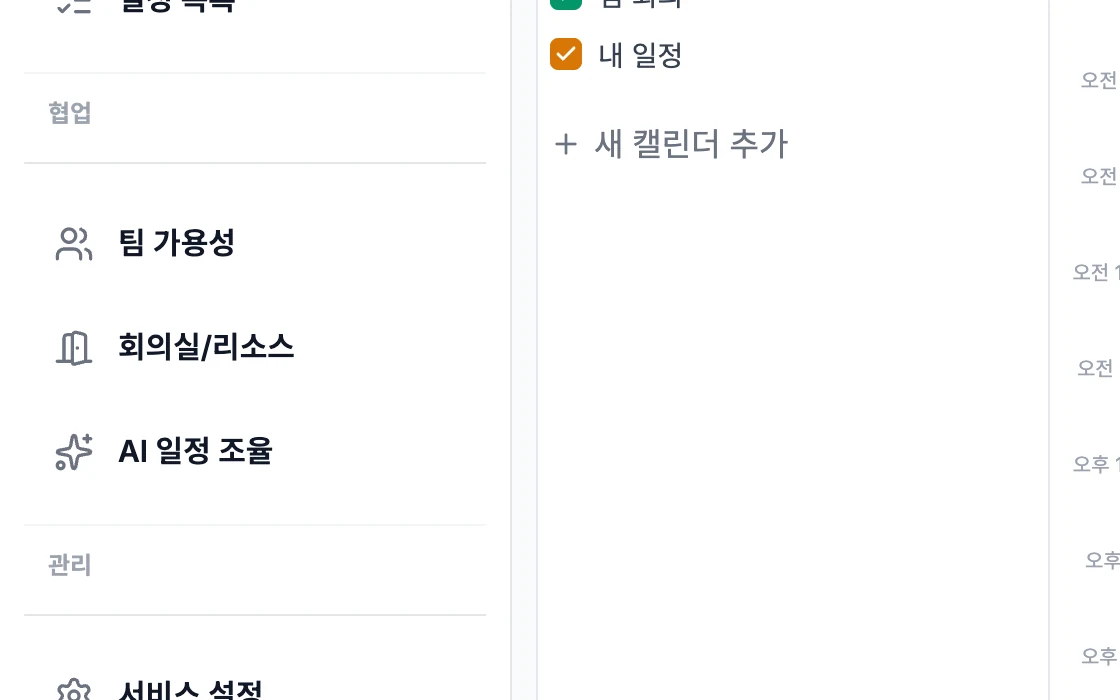
Book resources like meeting rooms and equipment along with the event. Your bookings gather in the "My bookings" list so you can see them at a glance. Book resources that are easy to double-book, like a photo studio, ahead of time.
- Meeting room and resource booking
- My bookings list
- Managed together with events
External invitation links
Share events with attendees outside the company through invitation links. Partner companies and outside experts get the same event details and can line up their time.
- Invitation links for external attendees
- Share events with partner companies
AI Crew scheduling
AI Crew finds free time and creates, changes and cancels events. It sends invitations, sorts out responses and keeps track of reminders. Internal events are handled right away, so the responsible person only needs to check outside invitations.
- Find free time, create, change and cancel events
- Invitations, responses and reminders
- Approval card only when there are external attendees
Today's events in the Today brief
On your first visit of the day, your assistant AI Crew reports today's events in the Today brief. See them with email, approvals and tasks to plan the order of your day.
- Report on today's events
- See with email, approvals and tasks
Connect with Drive and Messenger
We are preparing features to copy Drive files into an event and to share events in Messenger as read-only.
- Copy Drive files into an event
- Read-only sharing in Messenger
What AI Crew does and what people decide
- Finds free time for attendees
- Creates, changes and cancels internal events
- Sends invitations and sorts out responses
- Keeps track of event reminders and reports today's events
- Approve events with external attendees
- Decide whom to invite and which events to book first
- Pick which of the times AI Crew suggests to use
Working with AI Crew: an example
Example: the fictional company Ondam Living Co. prepares to launch its new fall product, the "Ondam mug set".
A marketing staff member asks in the AI Crew command window to book next week's Ondam mug set product photo shoot with the design team and an outside photographer.
AI Crew finds free time for the design and marketing teams and lists two options. The staff member picks one and books the photo space for that time.
Because the event includes an outside photographer, AI Crew posts an approval card.
When the marketing staff member checks the time and attendees and approves, the invitations go out. On the morning of the shoot, the event appears in the Today brief.
Connected work in other services
Today's events appear in the first report of the day.
Hand off scheduling in the AI Crew command window and get approval cards.
See tasks overlaid on the calendar (beta).
Copy Drive files into an event.
Share events in Messenger as read-only.
Admin and security
- AI Crew does not go ahead with events that have external attendees without a person's approval.
- The company time zone set by an admin is also passed to AI Crew, so people and AI Crew schedule on the same time basis.
- Sign in once and use every service with the same organization and permissions. Admins decide which services each role can use, and add exceptions only for the people who need them.
- AI Crew sees materials and works only within the permissions of the person who handed off the work.
- What AI Crew does is kept in activity records. Each company's data is kept separate on both the server and the database.
Frequently asked questions
Can I change just one day of a recurring event?
You can change or cancel a single occurrence of a recurring event. The rest of the recurring event stays the same.
Does AI Crew send invitations to people outside the company?
For events with external attendees, AI Crew posts an approval card and goes ahead only after a person approves. AI Crew handles internal events right away.
Do I book meeting rooms in Calendar too?
Yes. Book resources such as meeting rooms and equipment together with the event, and see your bookings together in the "My bookings" list.
Can I see task due dates in Calendar?
Seeing tasks overlaid on the calendar is available as a beta.
Does AI Crew remember event information too?
Yes. Events are one of the sources of what AI Crew remembers. You can view and remove them in the memory tab, and restore removed memories within 30 days.
Related pages
Start with AI Crew in the November closed beta.