Keep company files in one place and share them only with the people who need them
Drive is your company file storage. Organize work files in folders, and find and view them right away with search and preview. Share with people, by link or through Messenger from one window, and discuss each file in comments. AI Crew finds and reads files within the permissions of the person who assigned the work.
Designed for: Staff whose team files are scattered across personal PCs and email attachments, and team leads and admins who need to manage outside sharing
When you need it
Time spent figuring out where a file is, or undoing a file shared by mistake, adds up more than you might think.
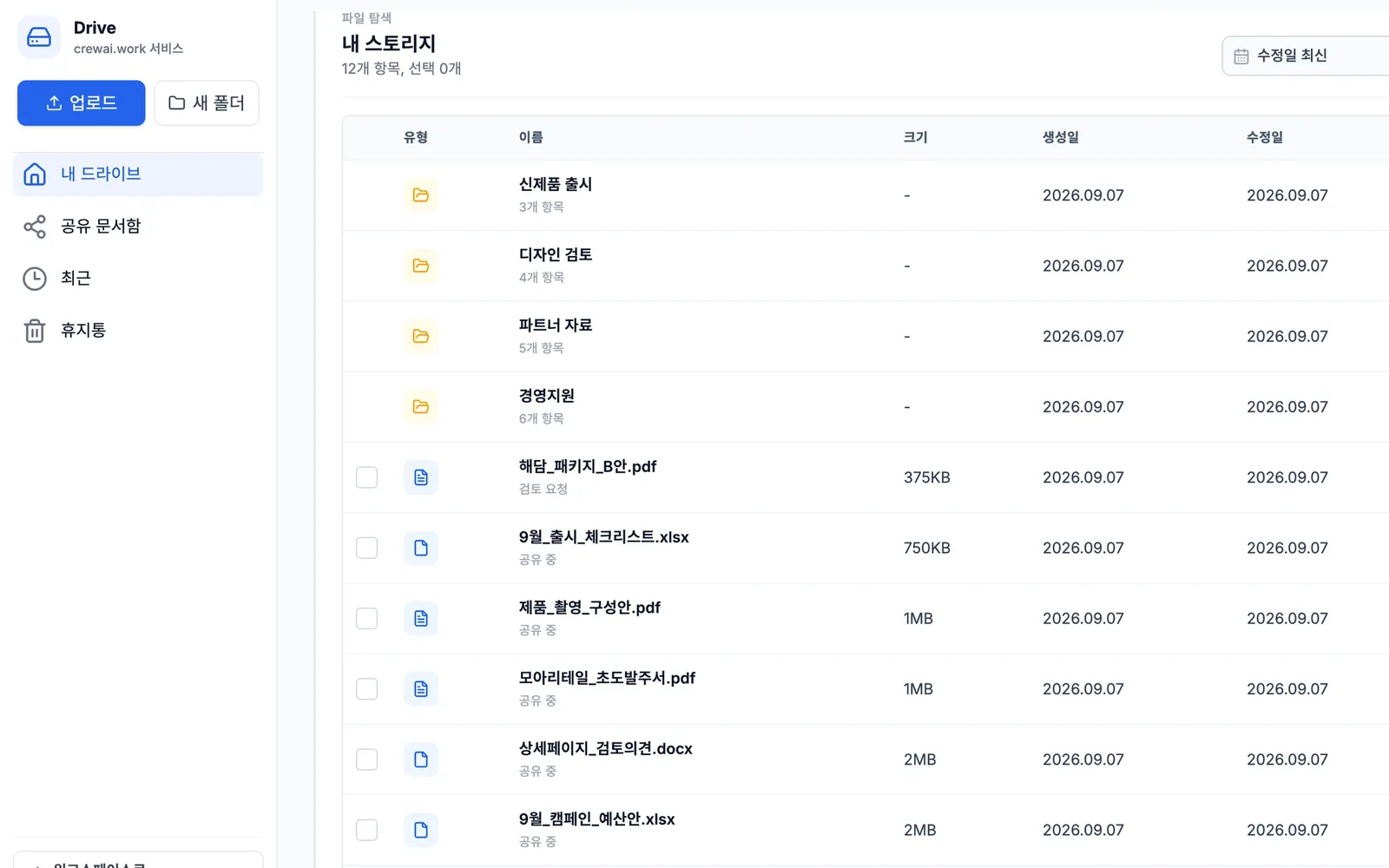
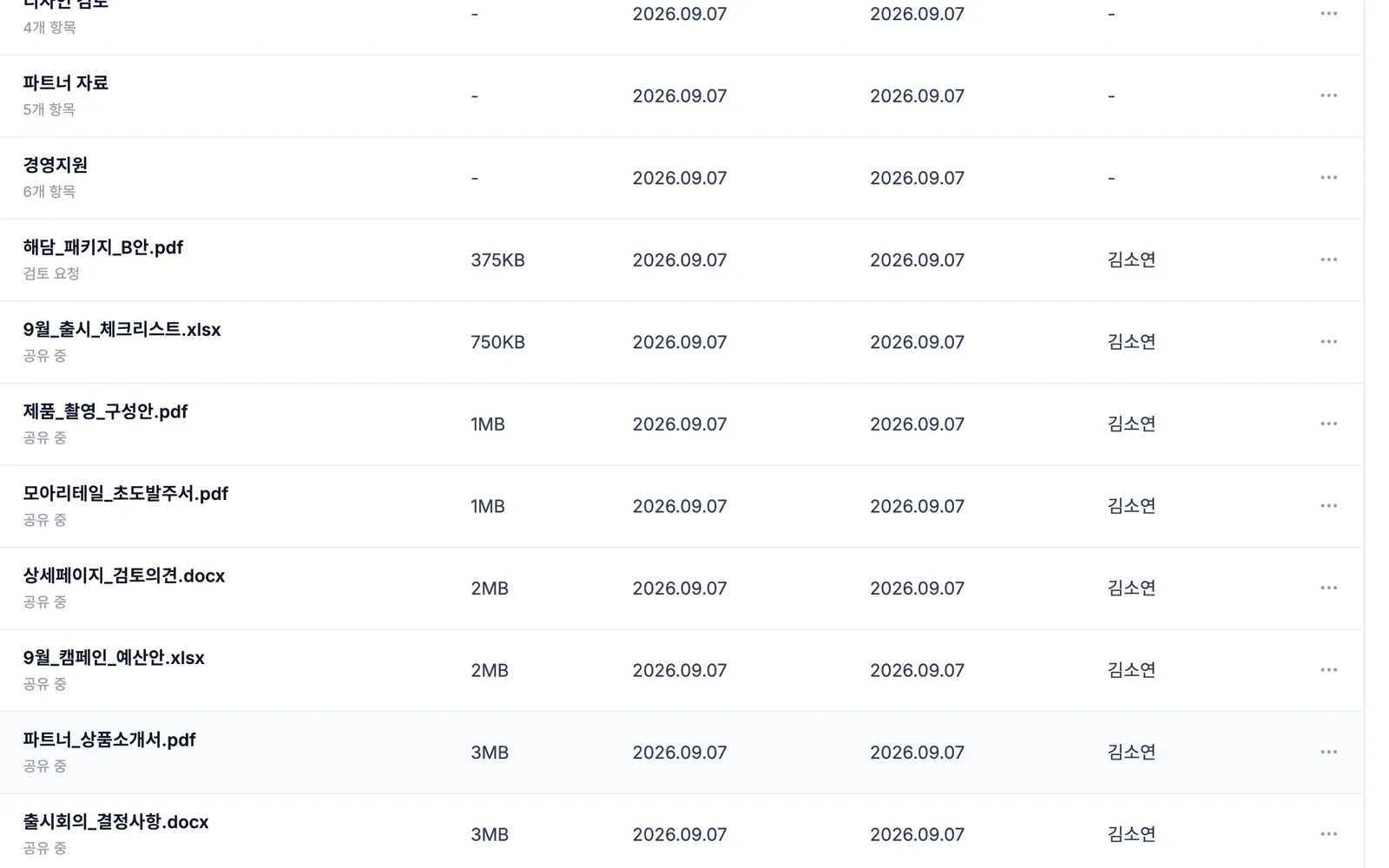
You ask whose PC has the latest design draft, then check which email attachment is the final version. With a folder for each piece of work in Drive, size, modified date and who modified it appear together, so you can pick the file to use right away.
Sending materials to an outside photo studio takes time when you have to track who it is shared with and for how long. Share with people, by link or through Messenger from one window, and set the sharing period up to 90 days.
To have AI review materials, you have to download the files and upload them again. Drive files attach directly to the AI Crew command window, and AI Crew finds and reads them within the permissions of the person who assigned the work.
How it differs from general work tools
Pick the coworkers to share with from the org chart. Even when names are confusing, you can follow the departments to find the right person.
Attach a Drive file to the AI Crew command window, and AI Crew reads and organizes it. No separate download and move.
The system blocks AI Crew from deleting files. Files a person deletes can also be restored from the trash.
Key features
Store, find, share and comment on files in one screen.
Upload and folder organization
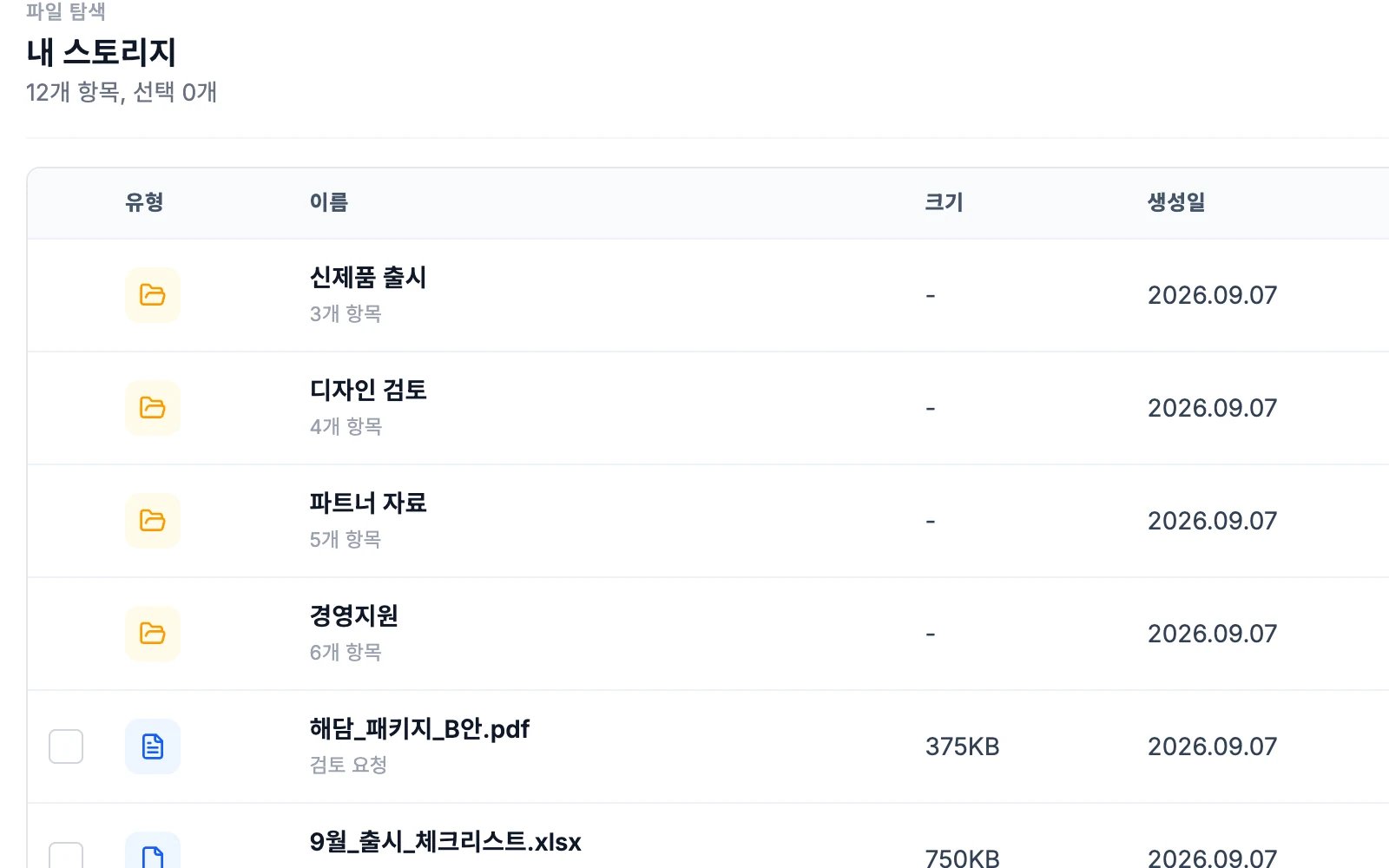
Upload files and organize them in folders by work. Moving and renaming are easy, and size, modified date and who modified it appear in the list. Restore files deleted by mistake from the trash.
- Upload, folders, move and rename
- Shows modified date and who modified it
- Restore from the trash
Full search and preview
Search for files across all of Drive, and preview them in the preview window without downloading. Switch between thumbnail and list views, and see right away how many items each folder holds.
- Search all of Drive
- Preview window
- Switch between thumbnail and list views
Sharing from one window
Share with people, by link or through Messenger from a single share window. Pick coworkers from the org chart, and set the sharing period up to 90 days. Each file shows a status such as "Shared", so you can see who you are sharing it with now.
- Share with people, by link or through Messenger in one window
- Pick coworkers from the org chart
- Sharing period up to 90 days
Comments and notes
Leave comments and notes on a file, so edit requests and confirmations stay next to the file. You do not need to look for feedback separately in email or Messenger.
- Comments on each file
- Leave confirmations as notes
Using files in the AI Crew command window and meetings
Attach Drive files in the AI Crew command window to assign a review or summary. AI Crew finds and reads files within the permissions of the person who assigned the work. In Video meeting, bring in Drive materials and view them together.
- Attach Drive files to the AI Crew command window
- AI Crew finds and reads files
- Bring in files as meeting materials
More work to hand off, plus Mail and Calendar connections
We are preparing features for handing file organizing, saving and sharing to AI Crew, as well as attaching Drive files to email and copying files to events. AI Crew sharing goes through a human check on each request.
- AI Crew file organizing and saving
- AI Crew sharing with a human check on each request
- Email attachments and copying files to events
What AI Crew does and what people decide
- Finds files within the permissions of the person who assigned the work
- Reads attached files and lists summaries and points to check
- Reports review results in the AI Crew command window conversation
- Who to share with and for how long
- Sharing by outside link
- Deleting files and restoring them from the trash
- Folder structure and how files are kept
Working with AI Crew: an example
Example: the fictional company Ondam Living Co. prepares materials for the "Ondam mug set" product detail page.
A designer uploads the detail page design draft and the product spec sheet to the "Fall new products" folder.
The merchandiser leaves a comment on the draft asking to fix the capacity label.
The merchandiser attaches the draft and the spec sheet to the AI Crew command window. AI Crew reads both files and reports where the capacity and material labels differ.
When the edits are done, the merchandiser shares a link with the outside photo studio and sets the period to match the shoot schedule.
Connected work in other services
Attach Drive files and assign a review to AI Crew.
Send files to a Messenger conversation from the share window.
Bring in Drive materials during a meeting and view them together.
Drive files appear in unified search results.
Attach Drive files directly to email.
Copy Drive files to an event.
Admin and security
- The sharing period is up to 90 days.
- Handing sharing to AI Crew (in preparation) will also go through a human check on each request.
- The system blocks AI Crew from deleting files.
- AI Crew finds and reads files only within the permissions of the person who assigned the work.
- Each company's data is kept separate on both the server and the database.
Frequently asked questions
Can I share with people outside the company?
Yes. You share by link, and you set the sharing period within a maximum of 90 days. People share outside the company themselves.
Can AI Crew see files outside my permissions?
No. AI Crew finds and reads files only within the permissions of the person who assigned the work.
Can AI Crew delete files?
No. The system blocks AI Crew from deleting. Files a person deletes can be restored from the trash.
Can AI Crew organize files or share them for me?
For now, you can hand it finding and reading files. Organizing, saving and sharing are in preparation, and even then, each sharing request will go through a human check.
Can I attach Drive files directly to email?
In preparation. In the meantime, you can create a sharing link and put it in the email body.
Can we move files from the file storage we use now?
The scope and method for moving existing files are decided together when you talk to sales.
Related pages
Start with AI Crew in the November closed beta.