AI Crew reads and sorts your email, and people decide what gets sent
Mail is work email you use with your company account. AI tags mark what kind of email each one is, such as a quote, a notice or a booking. Reply drafts written by AI Crew collect in "AI reply drafts". Email goes out only after the responsible person approves it.
Designed for: Purchasing, sales and operations staff who get a lot of email from suppliers and customers and spend much of the day sorting and replying
When you need it
Email from overseas OEM factories, logistics companies and online store contacts lands in one mailbox. Picking out quote replies from simple notices takes the whole morning.
With a long email thread, you have to reread it from the start to know what has been decided. Taking over the email of a coworker on leave takes even longer.
You may want AI to handle replies, but you worry that email leaving the company will be sent without a check. That worry grows when the email includes deal terms.
How it differs from general work tools
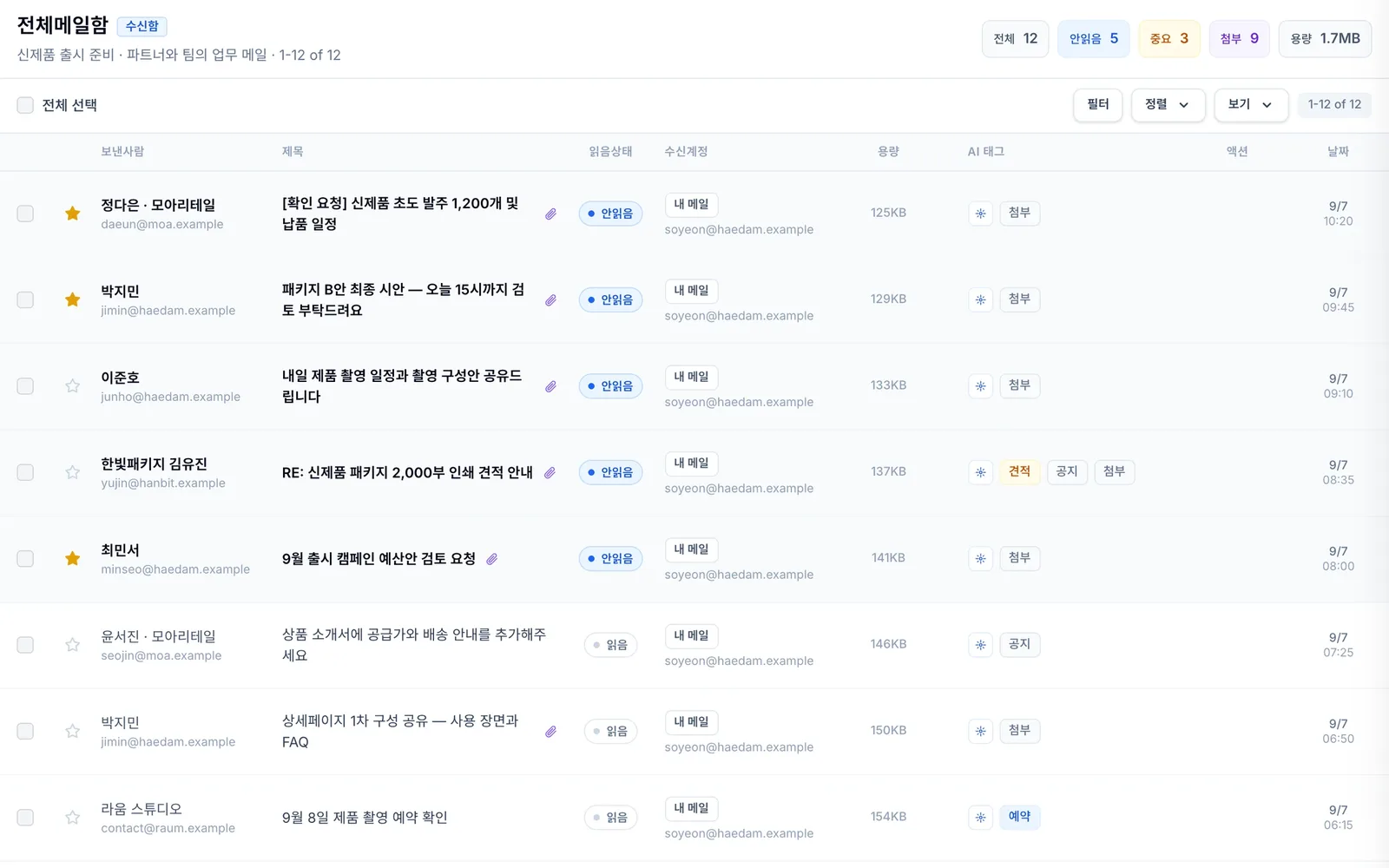
AI tags show the kind of email, such as a quote, a notice or a booking, in the list. You decide what to look at first before opening anything.
Reply drafts written by AI Crew collect in "AI reply drafts". Sending always goes through a human approval step.
Email to handle shows up in the Today brief. You know which email needs a reply today before you open your mailbox.
Key features
On top of the basics of writing and receiving email, AI Crew adds sorting and drafts.
Writing and replying
Write email with To, Cc and Bcc, and reply or forward right away. When you save as draft, attachments stay, so you can finish the email later. You get a notification when new email arrives.
- To, Cc and Bcc
- Reply and forward
- Save as draft that keeps attachments, and new email notifications
Sorting email with AI tags
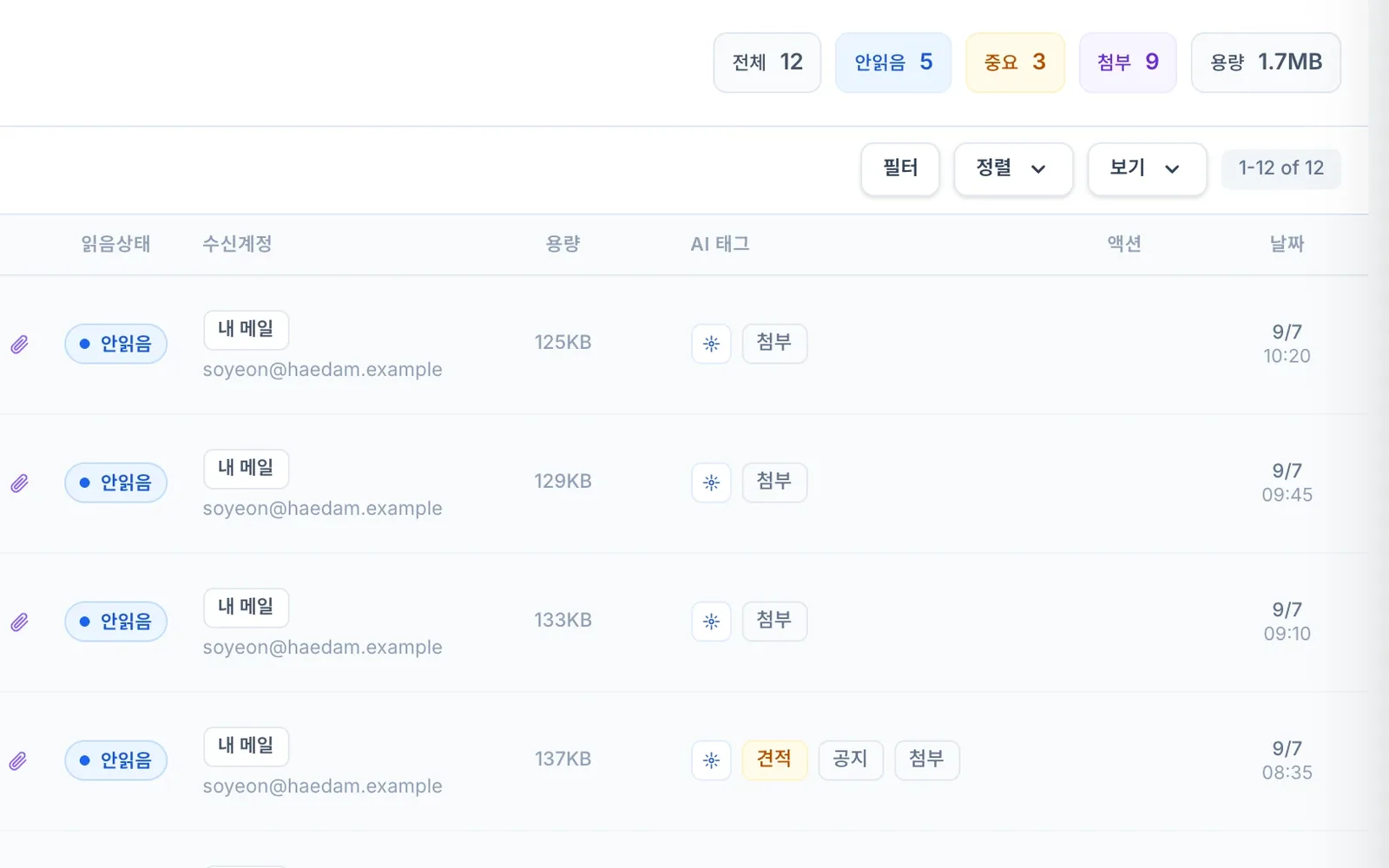
In the inbox list, AI tags show the kind of email, such as a quote, a notice or a booking. Even on a busy morning, the email to answer first stands out without opening each one.
- Shows the kind of email, such as quote, notice or booking
- Check right in the list
- Pick the email to answer first
"AI reply drafts" in one place
Reply drafts written by AI Crew collect in "AI reply drafts". The responsible person reads and edits a draft, then decides whether to send it. You review several drafts one after another on one screen.
- Reply drafts in one place
- A person edits and approves
- Nothing is sent before approval
Giving email work to AI Crew
In the AI Crew command window, ask AI Crew to find email, summarize threads and draft replies. AI Crew organizes your mailbox with labels and filters and also prepares scheduled sends. Email is actually sent only after the responsible person approves.
- Find, read and summarize threads
- Reply drafts and scheduled send preparation
- Organize with labels and filters
Email to handle in the Today brief
On your first visit of the day, the assistant AI Crew puts email to handle in the Today brief. You see it together with events, approvals and tasks, so it is easier to decide what to answer first today. Reports that need a decision stay until you handle them.
- Reports email to handle
- See it with events, approvals and tasks
- Reports that need a decision stay
Connecting email with other services
We are preparing a thread view that groups sent and received email into one conversation, attaching Drive files, sharing email as cards in Messenger and putting notes into an email body.
- Thread view
- Attach Drive files and share cards in Messenger
- Notes into the email body
What AI Crew does and what people decide
- Finds and reads the email you assign and summarizes the thread
- Writes reply drafts and puts them in "AI reply drafts"
- Organizes the mailbox with labels and filters
- Puts email to handle in the Today brief
- Edit drafts and decide whether to send them
- Approve sending and scheduled sends
- Decide deal terms such as price and delivery date
- Decide which email work to give to AI Crew
Working with AI Crew: an example
Example: the fictional company Ondam Living Co. is getting ready to launch its new fall product, the "Ondam mug set".
The assistant AI Crew puts an overnight reply from the OEM factory about a delivery date change in the Today brief as email to handle.
The purchasing manager asks, in the AI Crew command window, for a summary of that email thread and a reply draft.
AI Crew lays out the quantity and delivery date agreed earlier and what has changed, then puts a reply draft in "AI reply drafts".
The purchasing manager edits the sentence about delivery terms in the draft and approves it. Only after approval does the email go to the factory.
Connected work in other services
Email to handle shows up in your first report of the day.
Give email work and get reports in the AI Crew command window on the Mail screen.
Received email becomes a source of AI Crew memory. You can view it and take it out in the Memory tab.
Attach Drive files to email.
Share email as a card in Messenger.
Put a note into an email body.
Admin and security
- Email prepared by AI Crew goes through a human approval step for both sending and scheduled sends.
- Admins can make the check rules stricter, but they cannot loosen them.
- Sign in once and use every service with the same organization and permissions. Admins decide which services each role can use, and add exceptions only for the people who need them.
- AI Crew sees files and works only within the permissions of the person who assigned the work.
- What AI Crew does is kept as activity records.
- Each company's data is kept separate on both the server and the database. Data sent and received is protected with an encrypted connection (TLS).
Frequently asked questions
Can AI Crew send or schedule email without my check?
No. Replies written by AI Crew collect as drafts, and both regular and scheduled sends go out only after a person approves.
What email work can AI Crew do?
You can hand it finding and reading email, summarizing threads, drafting replies, organizing with labels and filters, and preparing scheduled sends today. We keep adding more work you can hand off.
Can I group email into conversations or attach Drive files?
In preparation. In the meantime, you can ask AI Crew to summarize a long email thread so you can catch up at once.
Does AI Crew remember the email I receive?
Received email is one of the sources of AI Crew memory. Memory is kept separate for each company. You can view it and take it out in the Memory tab, and you can restore memory you took out within 30 days.
Related pages
Start with AI Crew in the November closed beta.